Inevitable acronyms
A guide to Figma, how to name services, accessible visual content, and the effect of AI on accessible communications.

You may be getting ready for a well-earned rest, but don't let that stop you enjoying this latest edition of the Plain English Club newsletter.
All being well, I'll be able to send you another email full of goodies before the year is out. And you never know, in the new year there may be a little update to the website and how that works.
Also, don't forget your bookmarks.
Explore the links below and enjoy many festivities.
Iain
PS If you want to know more about me, here's my freelance website.
The UX writer’s guide to Figma
Excellent guide to using Figma from Figma itself:
Over the past few months, my team and I have spent time gathering feedback from UX writers and content designers from around the industry. Between feature requests and copy recommendations, one theme kept bubbling up: Figma is pretty intimidating for writers. If you can relate, don’t worry—you’re in good company. Many of us, including the writers here at Figma, come from fields beyond design, and never learned to use design tools. With so many bells and whistles, where do you even start?
The answer, of course, is with this guidance. And it is indeed a very useful starting point if you are new to Figma or working with other disciplines on content.
I would add, if you take the time to learn Figma in more detail, you can easily put together your own prototypes. You can use those prototypes to quickly test your content ideas or explain them to your teammates.
Naming services in complex situations
This blog post on naming services is by Dani Allen, a lead content designer at TPXimpact:
Naming services is an important part of digital transformation. Service names need to be clear, concise and related to the task people are completing. But this can become harder when the situation becomes more complex.
The thrust of the post is about using dedicated workshops to get all the key people together:
An engaging naming workshop is a way of making sure that everyone has the same level of knowledge of what’s involved in this task, and the importance of it. Getting important stakeholders involved and as close as possible to this work will set you up for success.
I have one extra tip on naming your service. I learnt this the hard way earlier this year. Before you start telling people your new service name, remember to carry out a quick check to make sure that any inevitable acronyms are not, well... a bit rude. Cripes.
Word list: Co-op Experience Library
I like this list of words and how to use them from the Co-op. It's a great tool for internal teams working on content, but it's also right there and easy to access for all employees and even customers.
Using visual content in an accessible way
This post by Marian Avery at Content Design Ireland is a great introduction to making visual content more accessible. For those of you who post regularly to LinkedIn, take note of the section on using emojis instead of bullets. I have done this at some point in my dark and distant past and it is not a good idea!
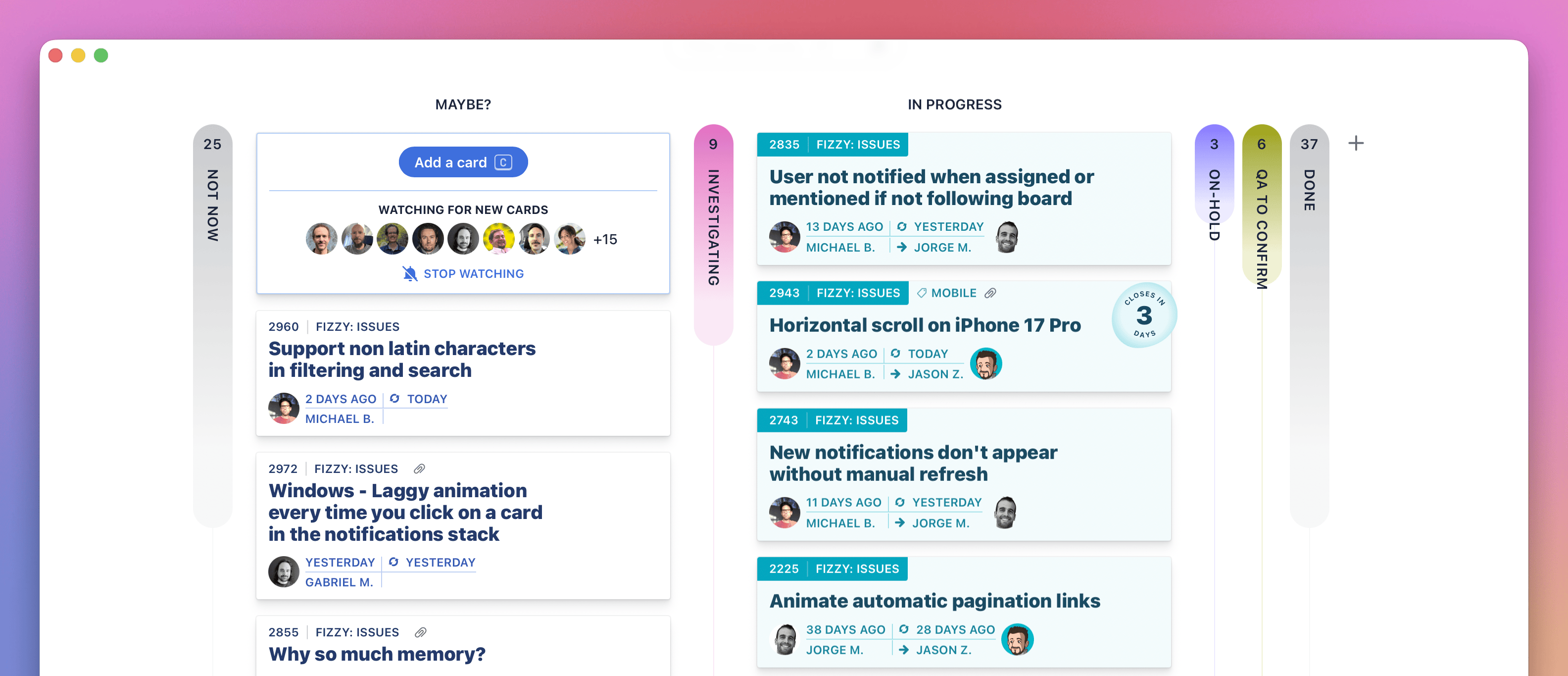
Fizzy – a new Kanban tool for planning and organising
I confess to having not tried Fizzy yet, but I am very much rooting for any project or content management tool that keeps it simple.
Here's the pitch:
Let’s be honest: every issue and idea tracking tool you loved slowly morphed into boring, sluggish, corporate bloatware. Trello put on 40 pounds of cruft. Jira started charging by the migraine. Asana tried to become everything to everyone. GitHub Issues slid into a steady state of decline. Name one that got better last year. Exactly.
I have used Trello on so many projects, but it has definitely succumbed to the world of enterprise software. I've been tied up in Jira boards more recently and I have no idea what half of it does.
Often, the tool choice is made by a project manager or a team of developers. I think content folk should have far more of a say. Let me know if you give Fizzy a go and how you find it.
"Don’t use emojis as bullet points. Remember that screen readers read the unicode names for emojis. That means that emoji descriptions announced by screen readers may not match the image you thought you chose, which could give a very strange introduction to your bullet list item."
Marian Avery, Content Design Ireland
New reader?
Join a growing community of plain language champs and start getting advice and resources that help you write clearer, more accessible content.